Sunday, November 10, 2013

My Shoes

                                            I keep my shoes on the front porch.

                                The other day I went outside to fetch my shoes and

                                       I found that my shoes were full of water!
                              At first I thought that this might be some type of prank.

                               I imagined someone sneaking up onto my front porch 
                          with a bucket of water who would then fill my shoes with water.

                                       During further examination of the surroundings,
                                              a broken sprinkler has been located.
                      The sprinkler isn't completely gone yet, and it is broken in such a way
                                               as to soak my front door and porch.


                                    I don't believe that a little duct tape will fix this one.
                                    Update: November 12 The sprinkler has been repaired... for now.
fin.

How To Install USB Device Drivers into Windows 8.1

We have found that the procedure for installing the drivers into Windows 8.1 is a little bit different than the procedure regarding Windows 8. This document is an update.

First, read through the Install Dinex Drivers procedure from "Install Dinex Drivers into Windows 8" and follow that procedure in order to install the USB Comm port driver in the first place.

It usually isn't necessary to follow that re-boot procedure in order to change the COMM port number or to delete the com port. However, if this is the first time installing the USB device, then it is definitely necessary to follow the re-boot procedure "Install Dinex Drivers into Windows 8.doc". And before doing more things with the computer, it is probably a good idea to set up a restore point. In the Start, Help and Support menu, search on System Restore Wizard. Then continue with this procedure.

How to do it? First, plug in the plug-and-pray device to a USB port on the computer. The computer should make some kind of tone, if the sound device is working and the sound volume isn't muted. Start from the DESKTOP (not from the start menu). Find the pop up menu off the right edge of the screen, select Settings, and then click on "Control Panel".

Find the pop up menu off the right edge of the screen, select Settings, and then find click on "Control Panel".

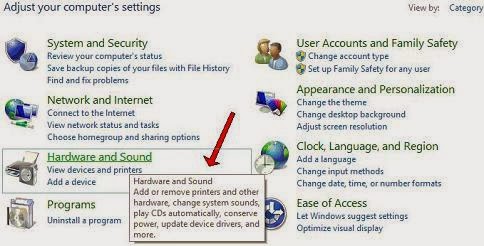
In the "Adjust your computer settings" pop-up window, select "Hardware And Sound".


Right click on the device in question, in the example shown the device it a Dinex T2-MK-232 USB To Serial Interface. "IO CONTROLS CORP USB DRIVER".


If this is the first time installing the device, the information screen will be mostly blank. Click on the "Hardware" tab.


Click on "Properties".


WINDOWS 8.1. If there is a "Change Settings" shield then click on the "Change Settings". This step is different from the previous procedure for WINDOWS 8 where we would click "Driver".  Might be necessary to unplug the device, listen for tones, plug the device in and listen for more tones. Eventually the "Change Settings" shield will appear.  Again, the Windows 8.0 procedure is different at this step.  


Click on "Driver". (Windows 8.1 image )


Click "Update Driver". (Windows 8.1 image )


Browse to find the install files, probably on the CD-ROM that came with the USB device.


Then Click "Next". With any luck, the computer will install the driver for the USB device. The following procedure will show how to change the COM port number on the USB device.

Sunday, September 29, 2013

My County Fair 2013 Part 3

Here are a few pictures from the county fair today.

Yours Truly was warned about the fact that He was wearing a red shirt at a Star Trek exhibition at His own risk.

Science fiction is a product of it's era and I'm glad that Star Trek skipped over the Disco Era. If Star Trek was made today, instead of being pitched as a"Wagon Train To The Stars" it might be pitched as a "Steam Punk Train To The Stars",

fin

Saturday, August 24, 2013

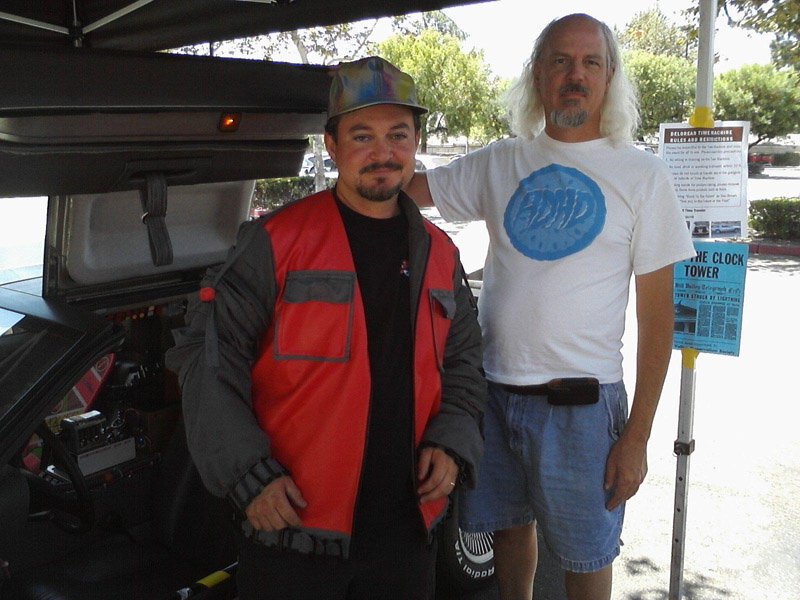
My Neighborhood Time Machine


August 24. 2013 at the Philly's Best 8th anniversary'

This time machine has a lot of detail that can only be seen from close up.

And again, me without my lab coat! I must learn to carry that lab coat with me at all times. I have some on order from Amazon and I don't understand why they aren't here yet.


This car is amazing an if you get the chance to look at the car, do so!
fin

Monday, July 22, 2013

My Weekend 2013

I had a lot of fun at Comicon this weekend. The best panel that I attended was for Sponge Bob because they had a live band and everybody sang songs. I didn't quite make it into the Axe Cop panel because of schedule overlaps, perhaps someone else can tell you about the Axe.

You can find out more about these pictures
here or here.


Bridge to Engineering!
The pictures came out a little blurry. Lighting is kind of dim and uneven in the convention center, I guess that is a good reason why the big booths bring extra lights for themselves.

fin.

Sunday, June 30, 2013

Tiger Truck

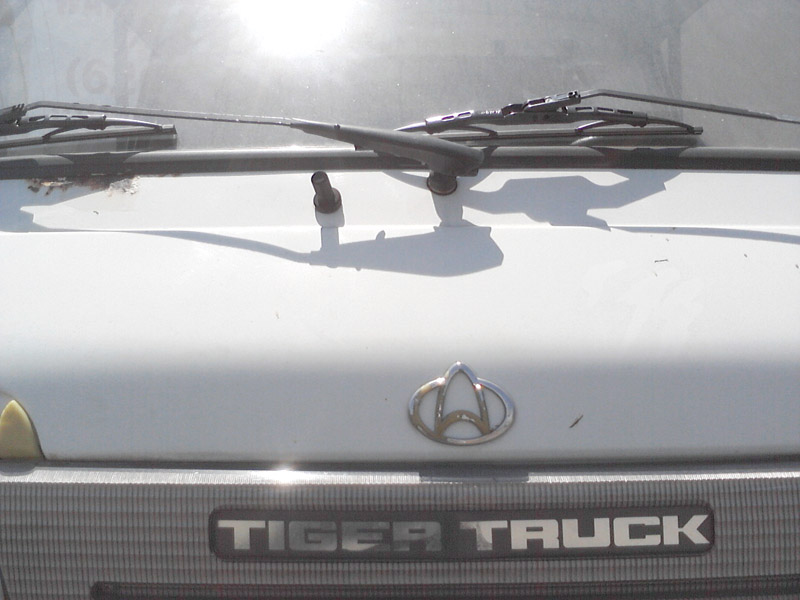
While walking around the neighborhood, I happened to see a tiger truck.
Lots of nice shady seating.
 

The symbol on the hood caught my eye.

Are we getting glare?

And since you asked, here is another look at that car with the flames


fin

Sunday, June 23, 2013

My Whatsit

During my travels around the neighborhood, there have been a few things laying around to be found, such as pennies or lead weights or
                                              headphones or a handy (cell) phone.

In each case I was able to identify the item as being a penny or lead weight or set of headphones or a handy (cell) phone. This time I have found something and I have absolutely no idea of what it could be.

A closer look shows a solid cylinder inside of a transparent cylinder, with some space in-between.
There appears to be some type of liquid sealed inside. The large end is hollow and there appears to be something, perhaps plastic tubing, broken off inside.


The small end has a lot of details.

Fin.